

Why DTF Transfers Are Revolutionizing Custom Apparel in
Why DTF Transfers Are Revolutionizing Custom Apparel in Central Louisiana
- Expert Guide by Blind Dog DTF Pineville, LA " alt="DTF printing guide from Blind Dog DTF" class="featured-image">
Welcome to the Ultimate DTF Heat Press Guide by Blind Dog DTF: Perfect Prints Every Time in Pineville, LA
\nAt Blind Dog DTF, right here in the heart of Pineville, LA, we understand that achieving a flawless direct-to-film (DTF) transfer isn't just about having high-quality prints it's equally about the precision of your heat press application. Our mission is to empower businesses and creators across Central Louisiana, from Alexandria to Cp Beauregard and throughout Rapides Parish, with the knowledge and the top-tier DTF transfers they need to succeed.
\nThis comprehensive guide, born from our deep expertise and commitment to customer success, will walk you through every critical step of the DTF heat press process. Whether you're a seasoned apparel decorator or just starting your journey in ZIP 71361, mastering these techniques will elevate your finished products, ensuring durability, vibrancy, and client satisfaction. Let's transform your custom apparel game together!
\n\n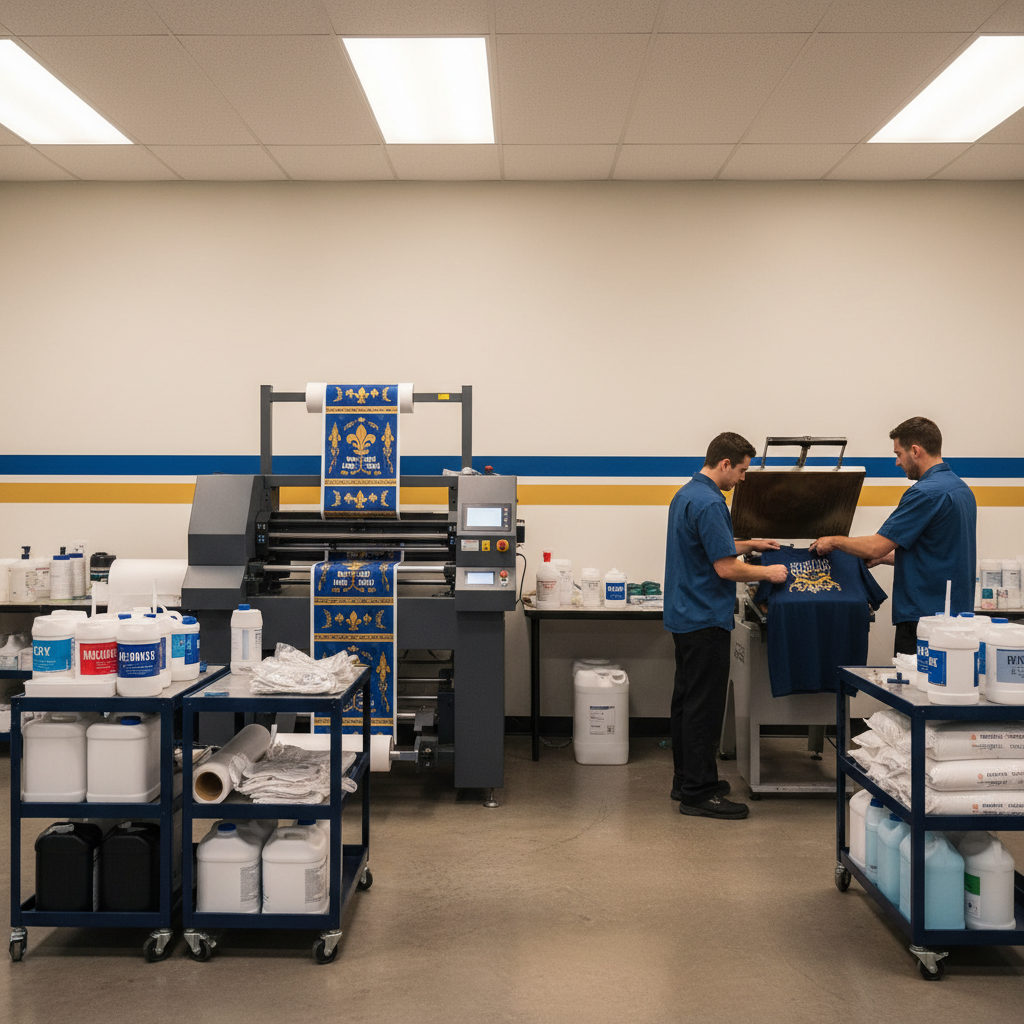
Why DTF Transfers Are Revolutionizing Custom Apparel in Central Louisiana
\nDirect-to-Film (DTF) printing has rapidly emerged as a game-changer in the custom apparel industry, offering unparalleled versatility and quality. Unlike traditional methods, DTF allows for vibrant, full-color designs with intricate details on a wide array of fabrics, including cotton, polyester, blends, and even challenging materials like nylon and leather. The transfers are incredibly soft to the touch, highly durable, and boast excellent wash fastness.
\nFor businesses in Pineville, LA, and surrounding areas, DTF means:
\n- \n
- Unmatched Versatility: Print on almost any fabric, light or dark.
- \n
- Vibrant Colors & Fine Detail: Achieve photographic quality and crisp lines.
- \n
- Soft Hand Feel: Comfortable garments that customers love.
- \n
- Durability: Designs that withstand countless washes without cracking or fading.
- \n
- Efficiency: Quick turnaround times, especially with high-quality transfers from Blind Dog DTF.
- \n
The Blind Dog DTF Difference: Quality You Can Trust
\nHere in Pineville, we don't just print DTF transfers; we craft them with precision and care. We use industrial-grade equipment and premium inks and powders to ensure every transfer we produce meets the highest standards. When you receive transfers from Blind Dog DTF, you're getting a product designed for easy application and superior, long-lasting results. We're proud to support local businesses in Alexandria, Cp Beauregard, and all of Rapides Parish with reliable, high-quality printing solutions.
\n\nYour Essential DTF Heat Press Setup Checklist
\nBefore you even think about pressing, proper preparation is key. Having the right tools and understanding your equipment will prevent costly mistakes and ensure professional results.
\n\nThe Right Heat Press for Your Pineville Business
\nA quality heat press is an investment that pays dividends. While there are many options, we recommend:
\n- \n
- Clamshell vs. Swing-Away: Clamshell presses are compact and great for general use, while swing-away presses offer more even pressure distribution and visibility, ideal for thicker garments or precise placement. For optimal results, a swing-away or a drawer-style press often provides superior, more consistent pressure.
- \n
- Even Heat Distribution: Crucial for DTF. Look for a press with a consistent temperature across the platen. Uneven heating leads to poor adhesion.
- \n
- Accurate Temperature & Pressure Controls: Digital controls are essential for precise settings. A pressure gauge is highly beneficial for repeatability.
- \n
- Platen Size: Choose a platen size appropriate for your most common transfer dimensions.
- \n
Blind Dog DTF Pro Tip: Regular calibration and maintenance of your heat press, including checking the platen for cold spots, can significantly improve your success rate. For those in Pineville, LA, experiencing issues, sometimes it's the press, not the transfer!
\n\nTools of the Trade for Flawless Application
\n- \n
- Heat-Resistant Pillow/Pad: Essential for garments with seams, zippers, or buttons to ensure even pressure over the transfer area.
- \n
- Teflon Sheet or Parchment Paper: For protecting your heat press platen and for the crucial second press (re-press). Parchment paper is often preferred for a matte finish and better breathability.
- \n
- Lint Roller: Absolutely critical for removing any stray fibers, dust, or debris from the garment before pressing.
- \n
- Laser Alignment Tool or T-Square: For perfectly centering and aligning your transfers on the garment.
- \n
- Heat-Resistant Gloves: For safety when handling hot platens and garments.
- \n
- Timer: While presses have timers, a separate timer can be a good backup.
- \n
Step-by-Step DTF Heat Press Application: Blind Dog DTF's Expert Method
\nFollow these steps carefully to achieve durable, professional-quality DTF transfers with every press.
\n\n1. Pre-Press Perfection: The Foundation of a Great Print
\nThis is often overlooked but incredibly important. Place your garment on the heat press platen and:
\n- \n
- Lint Roll Thoroughly: Remove all lint, dust, and pet hair. Any debris under the transfer can affect adhesion.
- \n
- Pre-Press the Garment: Press the garment for 5-10 seconds at your application temperature (without the transfer). This removes moisture, smooths out wrinkles, and pre-shrinks the fabric slightly, preventing issues during application.
- \n
Why it matters: Moisture in the fabric can turn to steam during pressing, creating air pockets and compromising adhesion. Wrinkles can also lead to uneven pressure and poor transfer quality. Trust us, a good pre-press sets you up for success!
\n\n2. Precise Temperature, Time, and Pressure: The Golden Triangle
\nThese three variables must be perfectly balanced for optimal DTF transfer application. Blind Dog DTF's transfers are designed for consistency, but your heat press settings are paramount.
\n\nTemperature Settings
\n- \n
- Recommended Range: Typically between 280F - 325F (138C - 163C).
- \n
- Fabric Specifics: For cotton and blends, 300F-325F is common. For heat-sensitive materials like polyester or tri-blends, you might need to drop to 280F-300F to prevent scorching or dye migration. Always test on a scrap piece if unsure.
- \n
Time Settings
\n- \n
- First Press: 10-15 seconds. This is the initial adhesion phase.
- \n
- Re-Press (Post-Press Curing): 5-10 seconds. Crucial for fully curing the adhesive and enhancing durability and feel.
- \n
Pressure Settings
\n- \n
- Medium-Firm Pressure: This is vital for DTF. You should feel a definite resistance when closing your heat press, but it shouldn't be so hard that you're straining.
- \n
- How to Gauge: If your press has a gauge, aim for 40-60 PSI. Without a gauge, it should be firm enough that you can't easily slide a piece of paper out from under the platen once closed.
- \n
- Importance: Insufficient pressure is a leading cause of poor adhesion, especially around fine details. Too much pressure can squeeze the adhesive out, making peeling difficult.
- \n
Blind Dog DTF Pro Tip: For consistent pressure on items with seams or thick collars (like hoodies for local sports teams in Alexandria), use a heat-resistant pillow. It elevates the print area, allowing the seams to sink into the pillow, ensuring even pressure across your entire DTF transfer.
\n\n3. Place the DTF Transfer
\nCarefully position your DTF transfer onto the pre-pressed garment. Use your alignment tools to ensure it's straight and centered exactly where you want it. Once placed, avoid touching the adhesive side with your bare hands, as oils can affect adhesion.
\n\n4. The First Press
\nClose your heat press with medium-firm pressure for 10-15 seconds at your chosen temperature. The heat and pressure will activate the adhesive on the transfer, bonding it to the fabric.
\n\n5. The Peel: Cold Peel is Our Expert Recommendation
\nThis is where patience pays off for DTF. After the first press, allow the transfer to cool completely before peeling. This is known as a "cold peel."
\n- \n
- Why Cold Peel? DTF adhesives are designed to release cleanly from the film once cooled, leaving all the adhesive on the garment. Peeling while warm or hot can result in incomplete transfer, adhesive residue on the film, or a damaged design.
- \n
- How to Peel: Once completely cool (the transfer film should feel cool to the touch, not just warm), gently lift one corner of the film. Peel slowly and evenly at a low angle (almost parallel to the garment). If you notice any resistance or the design lifting, stop, lay it back down, and allow it to cool further, or consider re-pressing for another 5 seconds if adhesion issues persist.
- \n
6. The Critical Re-Press (Post-Press Curing)
\nAfter peeling, your job isn't quite done. This re-press step is crucial for:
\n- \n
- Enhanced Durability: Fully cures the adhesive, making the design more resilient to washing and wear.
- \n
- Improved Hand Feel: Melds the transfer deeper into the fabric fibers, resulting in an even softer feel.
- \n
- Finish Adjustment: Place a sheet of parchment paper over the design (not Teflon, as it can make the finish too glossy unless desired).
- \n
Press for an additional 5-10 seconds at the same temperature and pressure. Remove the parchment paper while warm.
\n\nCommon DTF Heat Press Issues & Blind Dog DTF Solutions
\nEven with the best instructions, problems can arise. Here's how to troubleshoot common issues:
\n\nMy Transfer Isn't Sticking Properly!
\n- \n
- Cause: Insufficient temperature, pressure, or press time. Also, moisture in the garment or an uneven platen.
- \n
- Solution: Double-check your heat press settings against our recommendations. Increase pressure first, then adjust time or temperature slightly. Ensure thorough pre-pressing to remove moisture. Use a heat pillow for uneven surfaces.
- \n
The Print Looks Dull or Washed Out
\n- \n
- Cause: Often an issue with the re-press or fabric type.
- \n
- Solution: Ensure a proper re-press with parchment paper for 5-10 seconds. This helps embed the print into the fibers, enhancing vibrancy. If using highly textured fabrics, ensure enough pressure during both presses.
- \n
Uneven Application or Bubbling
\n- \n
- Cause: Uneven heat or pressure, moisture, or not using a heat pillow for problematic garments.
- \n
- Solution: Use a heat-resistant pillow for garments with seams, zippers, or buttons. Ensure your heat press has even heat distribution (test with a temperature gun if possible). Pre-press diligently.
- \n
Peeling Difficulties or Residue
\n- \n
- Cause: Peeling too soon (not a cold peel), or issues with the transfer itself.
- \n
- Solution: ALWAYS cold peel for Blind Dog DTF transfers. Ensure the transfer is completely cool to the touch before attempting to peel. If still having issues, try re-pressing for 5 seconds, let it cool again, and then peel. If issues persist even with cold peeling, contact us; we stand by the quality of our transfers for our Central Louisiana customers.
- \n
Pro Tips for Longevity and Vibrant Prints (from Your Local Pineville Experts)
\n\nFabric Compatibility Insights
\nWhile DTF is highly versatile, subtle adjustments can optimize results:
\n- \n
- Polyester & Synthetics: These fabrics are prone to dye migration (the fabric color bleeding into the transfer). Lower temperatures (e.g., 280F-300F) and shorter press times are crucial. Test a small area if possible.
- \n
- Heavyweight Fabrics: For hoodies or canvas, you might need slightly higher pressure or a slightly longer first press to ensure deep adhesion.
- \n
Post-Application Garment Care Instructions
\nTo ensure your customers enjoy their custom apparel for years, provide them with these care instructions:
\n- \n
- Wash inside out in cold water.
- \n
- Use a mild detergent.
- \n
- Do not bleach.
- \n
- Tumble dry on low heat or hang dry for best results.
- \n
- Do not dry clean.
- \n
- Iron inside out on a low setting, if necessary, avoiding direct contact with the design.
- \n
Maintaining Your Heat Press
\nA well-maintained heat press is a reliable heat press:
\n- \n
- Clean the Platen: Regularly wipe down the upper and lower platens with a non-abrasive cleaner to remove adhesive residue or fabric fibers.
- \n
- Check for Wear: Inspect your silicone pad regularly for tears or hardening. A worn pad affects pressure distribution.
- \n
- Lubricate Moving Parts: Periodically lubricate hinges and moving parts according to your press manufacturer's instructions.
- \n
Ready for Flawless DTF Transfers in Central Louisiana?
\nWe hope this comprehensive guide helps you achieve exceptional results with every DTF heat press application. Remember, the quality of your finished product starts with the quality of your transfer. At Blind Dog DTF, we pride ourselves on providing premium DTF transfers and expert support to our valued customers throughout Pineville, Alexandria, Cp Beauregard, and all of Rapides Parish.
\n\nPartner with Blind Dog DTF Today!
\nDon't settle for anything less than perfect. Whether you need custom gang sheets, bulk orders for your business in ZIP 71361, or simply have questions about your next project, our team of local experts is here to help. We're committed to your success and delivering the reliable, high-quality DTF transfers that make your designs shine.
\nContact Blind Dog DTF today for a quote or to discuss your custom DTF printing needs in Pineville, LA! Let us be your trusted partner for superior apparel decoration.
", "summary": "Master DTF heat press application with expert tips.", "tags": ["DTF", "Heat Press Instructions", "Pineville LA", "Custom Transfers", "Apparel Printing", "Central Louisiana", "Rapides Parish", "DTF Guide", "Heat Press Tips", "Blind Dog DTF"], "meta_title": "DTF Heat Press Guide: Perfect Prints in Pineville, LA | Blind Dog DTF", "meta_description": "Master DTF heat press application with our expert guide. Get flawless, durable prints for your business in Pineville, LA & Central Louisiana. Learn from Blind Dog DTF.", "source_keyword": "Heat Press Instructions for DTF Transfers" }Professional DTF Services in Pineville, LA
Looking for expert DTF printing services? Blind Dog DTF combines years of experience with cutting-edge equipment to deliver exceptional results for businesses throughout Central Louisiana.
Contact Blind Dog DTF today for professional DTF printing services in Pineville, LA and surrounding areas!